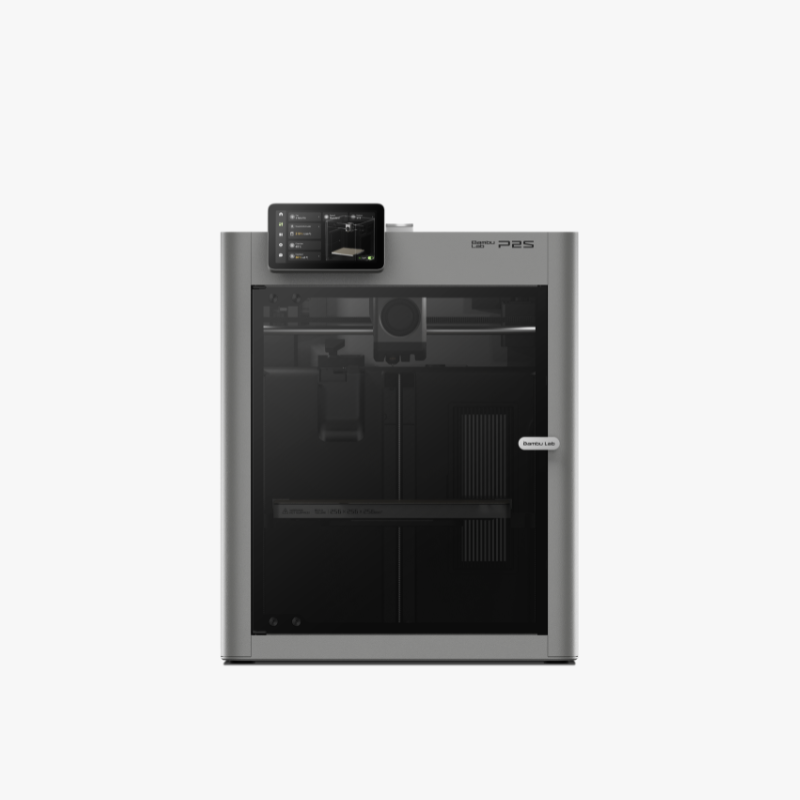
Description
The Icon, Redefined.
Bambu Lab P2S – Enclosed 3D Printing with Smarter Control
Develop your next idea with the Bambu Lab P2S. An enclosed build area, modern touchscreen and intelligent printing features support a practical workflow for prototypes, useful objects and creative models.
Choose the standalone printer today and add compatible automatic filament equipment when your projects need it.
This listing is for the standalone P2S. AMS equipment is sold separately.
Enclosed Build Area
A 256 × 256 × 256 mm build volume for models, prototypes and batches of smaller parts.
Clear Touchscreen Controls
A 5-inch touchscreen puts printer settings and guided operations within easy reach.
Intelligent Monitoring
AI vision and extrusion monitoring help identify common printing problems.
Quick-Swap Hotend
A convenient release mechanism simplifies compatible hotend changes.
From Idea to Printed Part
Room for Everyday Projects and Practical Prototypes
Use the P2S to explore a design, test a component or create something useful for your workspace. Plan your model around the available build area and choose a material suited to its intended use.
- Product mock-ups and fit-check prototypes
- Workshop organisers and tool holders
- Electronics enclosures and project housings
- Architectural and educational models
- Decorative pieces and hobby projects
- Batches of smaller parts
Check the sliced model before printing. Orientation, supports and brims can affect how much space your project requires.
Build Volume
256 × 256 × 256 mm
Plan individual models or arrange multiple components together in Bambu Studio.

Control with Confidence
A Clearer Interface for Your Printing Workflow
The upgraded touchscreen makes it easier to navigate the printer’s functions. Clearer graphics and guided steps help you manage operations directly at the machine.
Whether you are preparing a project or checking printer status, the interface keeps useful information close at hand.
Controlled Extrusion
Servo Extrusion with Real-Time Feedback
The P2S uses a PMSM servo extruder to monitor extrusion behaviour and identify problems such as filament grinding or clogs.
This feedback supports troubleshooting when material does not feed as expected. Correct profiles and good filament condition remain important for consistent results.

Less Manual Preparation
Automatic Calibration to Support Consistent Printing
Automatic bed levelling and flow dynamics calibration help prepare the printer for a job. These functions reduce manual setup, giving you more time to focus on your design and its intended use.
Review the selected printer, nozzle, build plate and filament profile before sending each print. Clean the build surface and follow the recommended maintenance schedule.

Adaptive Airflow
Cooling and Heat Retention for Different Materials
The airflow system draws outside air into the cooling path when needed. A heat-retention mode helps preserve warmth for materials that benefit from a more stable printing environment.
This gives the enclosed printer more flexibility across different projects. Use the recommended settings for your exact filament and follow its ventilation guidance.
An enclosure and internal filtration do not replace suitable workspace ventilation.

Intelligent Monitoring
An Extra Set of Eyes on Your Print
AI-powered vision helps detect spaghetti failures, nozzle blobs and air printing. Monitoring adds useful feedback when a job does not progress as expected.
Review alerts and inspect the printer before restarting a failed job. Detection features assist the user and do not guarantee that every failure will be identified.
Convenient Maintenance
A Quick-Swap Hotend for Changing Requirements
The quick-swap mechanism makes compatible hotend changes more convenient. Choose the appropriate nozzle for the balance of detail, material requirements and production needs in your project.
Allow the hotend to cool and follow the manufacturer’s replacement instructions. After a change, select the correct nozzle configuration in the printer and slicer.

Live View and Timelapse
The built-in 1080p camera and improved lighting help you check print progress and record your projects.
Use supported monitoring functions to review how a job is progressing.
Desktop and Mobile Tools
Prepare models in Bambu Studio and access supported mobile functions through Bambu Handy.
The user manual also describes LAN-only operation for a local-network workflow.
Expand When You Need To
Optional Automatic Filament Handling
This standalone P2S does not include an AMS. If your projects need automatic filament changes, contact us to choose a compatible system and the required connection accessories.
Keep printer compatibility and filament-system compatibility separate when selecting materials. Some filaments require a different feeding method.
AMS hardware and connection accessories are sold separately.
What Can You Make with the Bambu Lab P2S?
Choose Materials Around the Application
Start with what the finished part needs to do. Consider temperature exposure, loading, appearance and the environment in which it will be used before selecting a filament.
Everyday Projects
Explore PLA or PETG for appropriate models, prototypes and useful objects.
Application-Specific Parts
Ask for guidance before selecting materials for demanding conditions.
Specialist Filaments
Check nozzle, drying, feeding and ventilation requirements for the exact product.
Browse our 3D printing filaments or ask our team for material guidance.
Bambu Lab P2S Specifications
| Specification | Details |
|---|---|
| Model | Bambu Lab P2S |
| Configuration | Standalone printer — AMS not included |
| Build volume | 256 × 256 × 256 mm |
| Maximum nozzle temperature | 300°C |
| Maximum bed temperature | 110°C |
| Standard nozzle diameter | 0.4 mm |
| Supported nozzle diameters | 0.2, 0.4, 0.6 and 0.8 mm |
| Control screen | 5-inch touchscreen |
| Camera | 1080p live view |
| Extrusion system | PMSM servo extruder |
| Software | Bambu Studio and Bambu Handy |
P2S Standalone or P2S Combo?
This product is the standalone Bambu Lab P2S. The Combo is a separate configuration that includes AMS 2 Pro. Choose this standalone version if you want to begin without an automatic filament system or select compatible equipment separately.
Contact us if you need help comparing configurations or confirming the accessories supplied with your order.
Buy the Bambu Lab P2S in Cyprus
Choose your Bambu Lab P2S from The 3D Factory, an official Bambu Lab reseller and authorised repair centre in Cyprus.
Our Limassol team can help you choose equipment, materials and accessories for your projects. We offer local support, collection arrangements and delivery options across Cyprus.
- Specialist guidance before purchase
- Local after-sales support
- Help choosing compatible materials and accessories
- Limassol collection and Cyprus delivery options
- Installation and training available by separate quotation
Check the current availability and dispatch information on this page before placing your order.
Explore More
FAQ – Bambu Lab P2S
Does this P2S include an AMS?
No. This listing is for the standalone printer. Automatic filament equipment and any required connection accessories are sold separately.
How is the P2S Combo different?
The Combo adds AMS 2 Pro. Ask our team to compare the configurations if you are planning an automatic filament workflow.
Can the P2S help detect failed prints?
Its vision system can identify certain common printing problems. Monitoring assists the user, but it does not replace checking the printer and maintaining suitable settings.
Which filament should I buy?
Choose according to the finished part’s requirements. Our team can help check the exact filament, nozzle, drying and feeding requirements before you order.
Can I use the P2S for educational projects?
It can be considered for suitable teaching and design projects. Plan supervision, placement and ventilation, and ask us about installation or training options.
Where can I buy the Bambu Lab P2S in Cyprus?
Order from The 3D Factory with local guidance, after-sales support and Cyprus delivery options. Refer to this page for current stock and dispatch information.