

Description
Dry Filament. Better Prints.
Creality Filament Dryer Cyprus — Space π
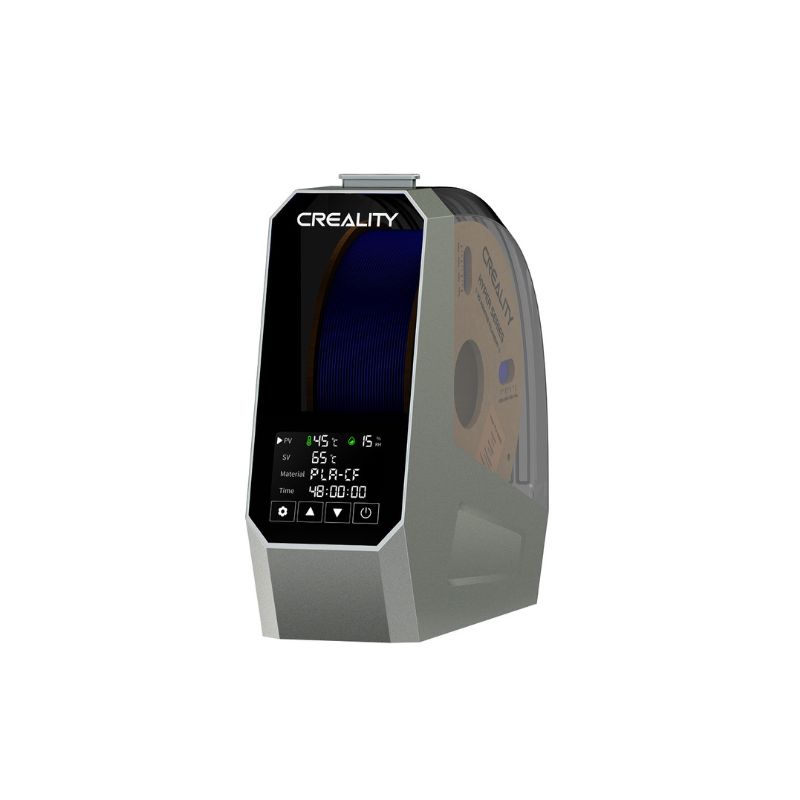
Wet filament causes stringing, clogging, poor adhesion, and layer shifting — problems that get more obvious the faster you print. The Creality Space π Filament Dryer solves this by drying filament before it ever reaches your nozzle.
So instead of troubleshooting a bad print after the fact, you fix the actual cause before it becomes a problem.
360° PTC Hot-Air Heating
Because a built-in fan circulates hot air around the spool, drying stays even rather than one-sided.
12 One-Key Filament Presets
Since common materials already have a preset, you don’t need to look up temperatures every time.
3.7-Inch Touchscreen
It shows temperature, timer, and drying status clearly, so you always know what’s happening.
Power-Off Memory
Since it remembers your settings after a power interruption, you don’t have to reconfigure a long drying cycle from scratch.
Moisture Is the Silent Print Killer
Why Filament Drying Matters
Most filaments absorb moisture from the air over time, even when sealed bags feel intact. Because that moisture turns to steam inside the nozzle during printing, it causes stringing, popping sounds, weak layer bonding, and a rougher surface finish — even when every other setting is dialed in correctly.
Since the Space π dries filament actively rather than just storing it, it addresses the actual cause of these issues instead of masking the symptoms with slicer tweaks.

Especially Useful With Moisture-Sensitive Filaments
Since some filaments absorb moisture faster than others, a dryer matters even more with certain materials. If you print with PLA Wood, PLA Silk, PETG-CF, or PLA Sparkle, drying is either recommended or explicitly required for the best results — this dryer covers all of them with one device.
Technical Specifications
| Specification | Details |
|---|---|
| Heating Element | 110W PTC, 360° hot-air circulation |
| Temperature Range | 45–70°C, adjustable |
| Drying Timer | 0–48 hours, adjustable |
| Filament Presets | 12 one-key presets, plus manual override |
| Display | 3.7-inch LCD touchscreen |
| Capacity | Single 1kg filament spool |
| Additional Features | Power-off memory, real-time monitoring |
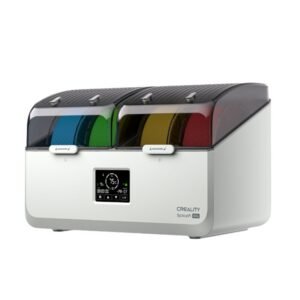
Creality also sells a two-roll “Plus” version and a larger 4-spool model for higher-volume drying — this listing is for the standard single-spool Space π. Let us know if you’re after higher capacity.
Getting the Most From Your Dryer
- Use the correct filament preset where available, since drying too hot can damage the material and drying too cold leaves moisture behind
- After drying, seal filament immediately in an airtight container with desiccant to keep it dry between print sessions
- Add colour-indicating silica gel to your storage container, since it turns pink when it needs replacing or regenerating
- For materials you print often, drying right after opening the spool prevents most moisture issues before they start
Who This Is For
Since moisture affects every filament type eventually, this suits a wide range of printing setups.
Creality Filament Dryer — Delivered Across Cyprus
Creality Space π Filament Dryer is available from The 3D Factory, so wherever you are in Cyprus — Nicosia, Limassol, Larnaca, Paphos or Famagusta — we can deliver it to you.
We also stock the SUNLU Filadryer S2 as an alternative option, plus our full range of filaments that benefit most from proper drying — PLA Wood, PLA Silk, PLA Sparkle, and PETG-CF among them.
Related Products
Creality Filament Dryer — FAQ
How many spools does this hold?
One 1kg spool. Creality also sells a two-roll “Plus” version and a larger 4-spool model, if you need to dry more filament at once.
What temperature should I use for my filament?
The 12 built-in presets automatically cover most common materials. For anything outside those presets, you can manually set a temperature between 45°C and 70°C.
Can I print directly from the dryer?
Many setups use a PTFE tube to feed filament from the dryer straight into the printer, so you can dry and print at the same time rather than drying first and printing later.
Is this compatible with filament from other brands?
Yes. Since it works on filament spools generally rather than being locked to Creality’s own filament, it dries Bambu, AzureFilm, and any other 1.75mm or 2.85mm spool that fits inside it.
Which of my filaments actually need this?
PETG-CF requires drying before printing, and PLA Wood, PLA Silk, and PLA Sparkle all recommend it for the best results. Most other filaments benefit from drying if they’ve been open a while or stored somewhere humid.
Is the Creality Space π Filament Dryer available in Cyprus?
Yes, The 3D Factory stocks it and delivers across Cyprus.