Description
Turn Photos into Light
Bambu CMYK Lithophane Bundle – Create Full-Colour 3D Photo Art
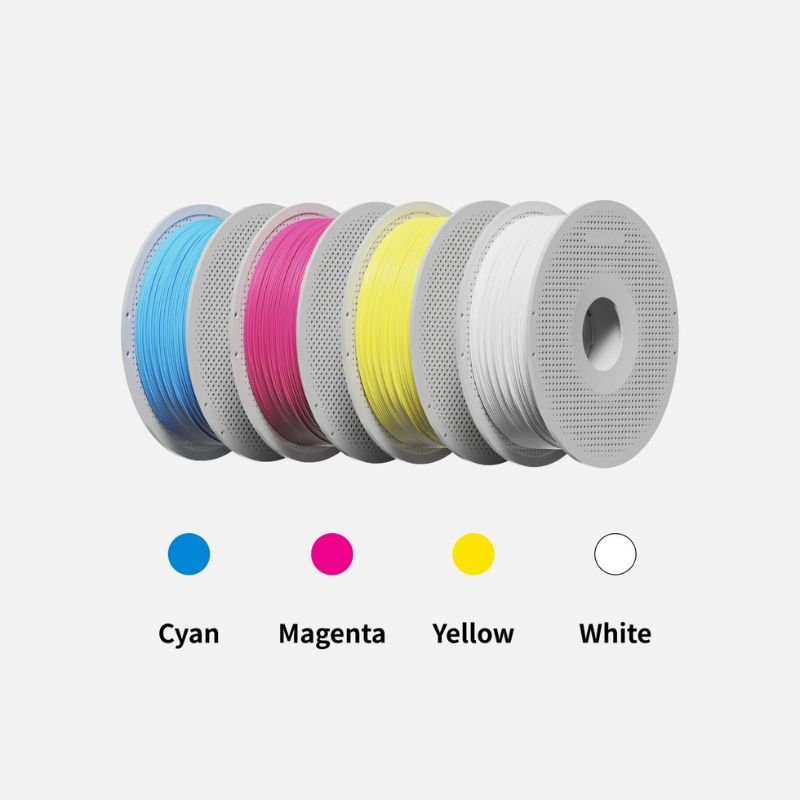
The Bambu CMYK Lithophane Bundle combines Cyan, Magenta, Yellow and Jade White PLA Basic filaments to help you turn favourite photographs into colourful, illuminated 3D prints.
Add a backlight and the printed layers reveal depth, colour and detail, creating a unique piece of personalised artwork.
Four PLA Basic Colours
Cyan, Magenta, Yellow and Jade White form the CMYK base required for colour lithophane printing.
Designed for AMS
Load each colour into the correct AMS slot and let the printer manage the colour changes automatically.
Photo-to-STL Workflow
Convert a JPG image into printable STL files with a compatible lithophane generator.
Ready for Backlighting
Pair the finished print with a light source to reveal the full colour effect.
Bring Colour to Lithophanes
Transform Photographs into 3D Pieces of Art
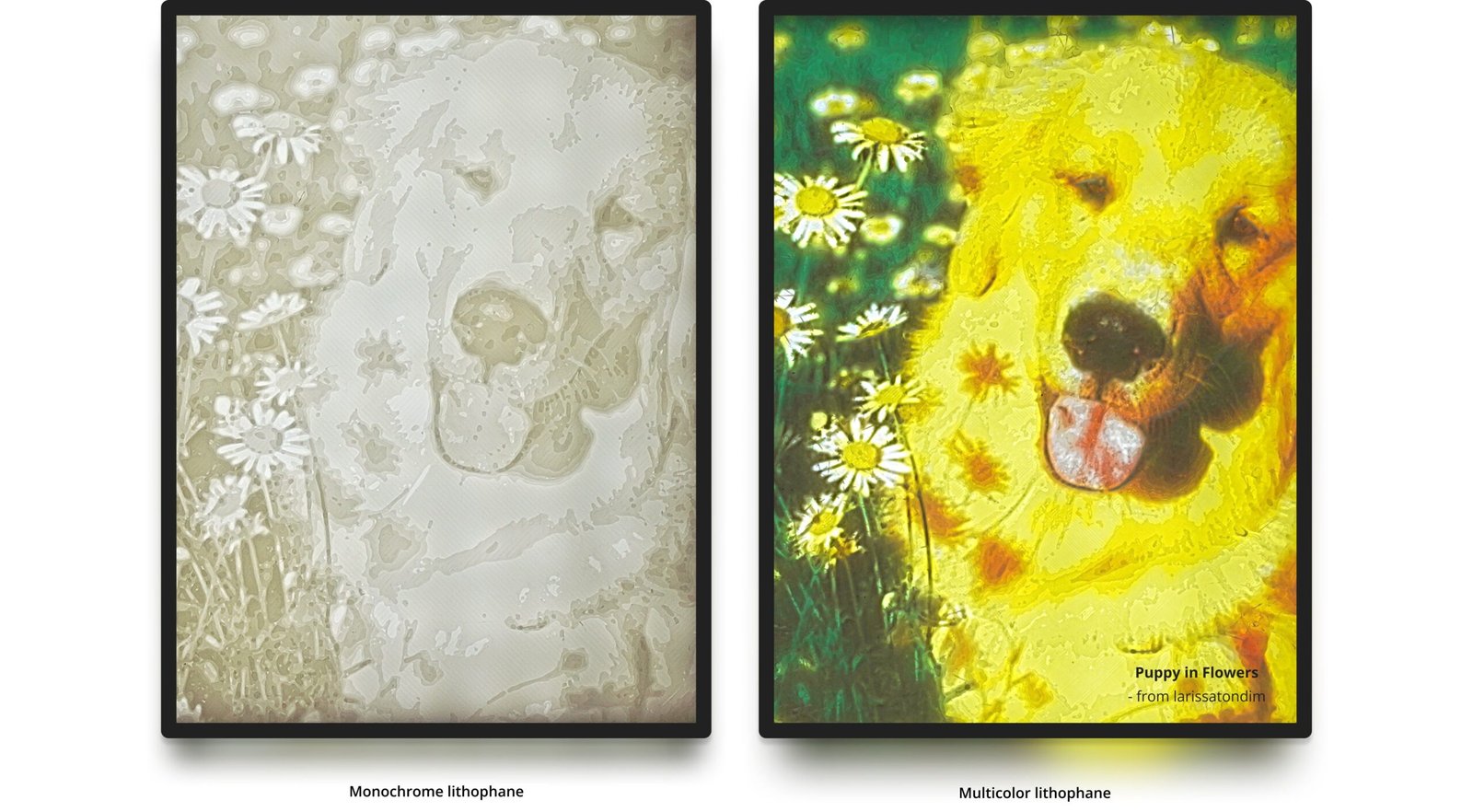
Traditional lithophanes use changes in thickness to reveal an image when light passes through the print. The Bambu CMYK workflow adds colour by layering Cyan, Magenta, Yellow and White filament.
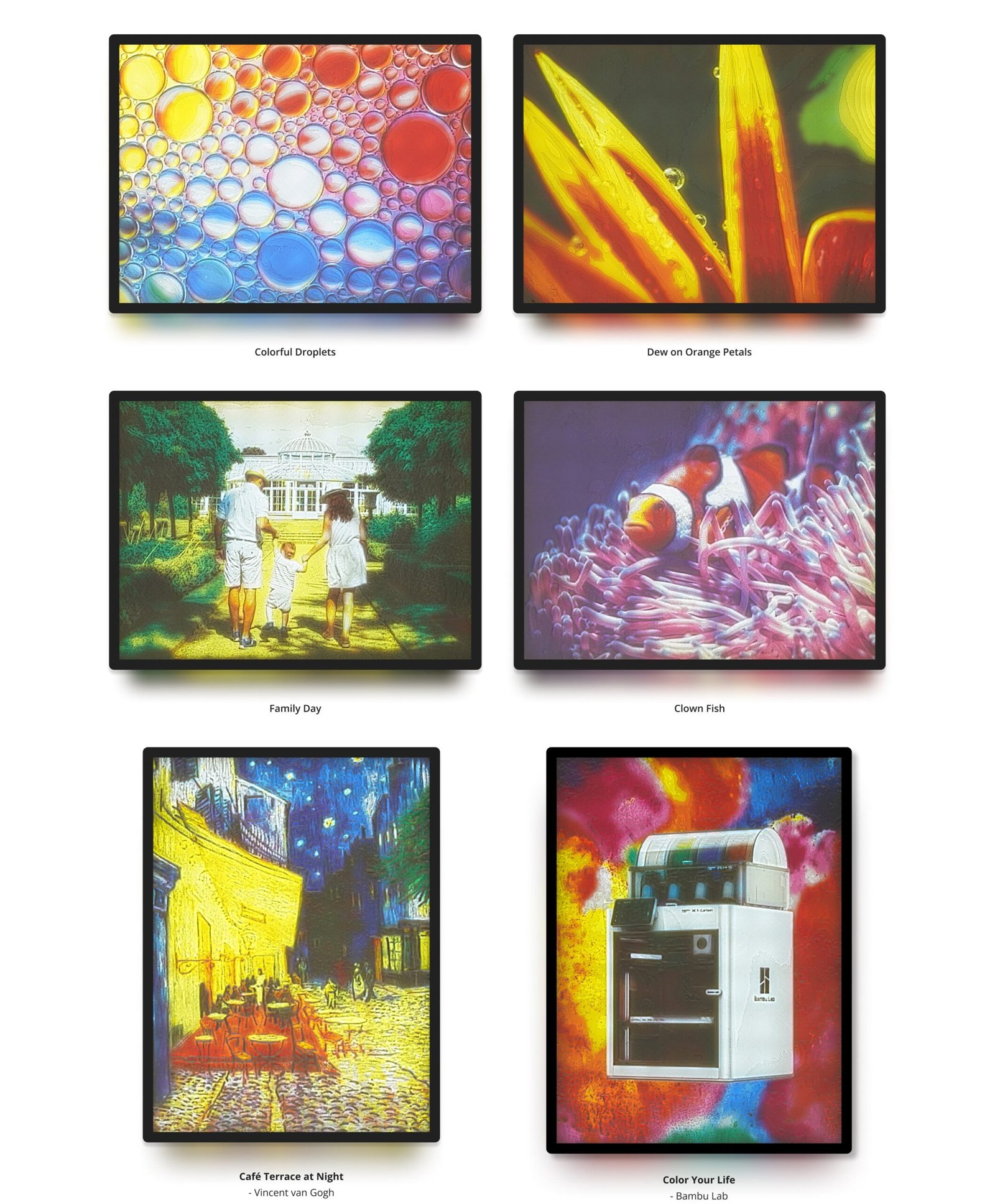
As a result, portraits, pets, landscapes and family photographs gain more depth and visual impact than standard single-colour lithophanes.
The bundle is especially suitable for personalised gifts, framed photo lights, memorial pieces and decorative displays.
What Is Included in the Bundle?
The bundle contains four full-size spools of Bambu Lab PLA Basic. Each colour plays a specific role in the final image.
Cyan
PLA Basic Cyan
#0086D6
Magenta
PLA Basic Magenta
#EC008C
Yellow
PLA Basic Yellow
#F4EE2A
Jade White
PLA Basic Jade White
#FFFFFF
Step 1
Prepare Your Printer and AMS
A Bambu Lab printer with an AMS is the recommended setup because the lithophane requires four separate filament colours.
Load the filaments into the corresponding AMS slots and confirm that each colour matches the assignment in the slicing profile.
Recommended Hardware
- Bambu Lab 3D printer
- AMS, AMS lite or compatible automatic material system
- 0.2 mm nozzle for the highest detail
- 0.4 mm nozzle for a faster workflow
- Compatible Bambu Lab build plate
Step 2
Convert Your Photo into Printable STL Files
Upload a suitable JPG image to Lithophane Maker and choose the CMYK lithophane configuration.
- Upload your selected JPG image.
- Configure the image for PLA CMYK printing.
- Generate and download the STL files.
- Import the files into Bambu Studio.
- Assign each STL section to the correct AMS colour.
- Slice the model and review the preview before printing.
Bambu Lab credits Lithophane Maker for its contribution to the colour-lithophane workflow.
Step 3
Print the Lithophane and Add Light
Once the print is complete, place it in a suitable frame and add a backlight. The light passes through the layered colours and reveals the final image.
Bambu Lab offers a dedicated CMYK LED Backlight Board, while compatible custom frames and light-guide plates can also be printed.
- Framed family photographs
- Pet portraits
- Wedding and anniversary gifts
- Memorial pieces
- Landscape artwork
- Custom night lights
Recommended Printing Settings
Fine layers and accurate colour alignment are important for good lithophane results. Therefore, smaller nozzles and lower layer heights generally produce sharper images.
| Setting | Recommendation |
|---|---|
| Nozzle Size | 0.2 mm recommended; 0.4 mm supported |
| Layer Height | 0.08–0.12 mm |
| Bed Temperature | 45–50°C |
| Printer | Bambu Lab printer with AMS recommended |
| Slicer | Bambu Studio |
A 0.2 mm nozzle can reveal finer facial details and smoother colour transitions. However, it also increases print time. A 0.4 mm nozzle offers a useful balance between detail and speed.
#1 Get your printer ready
| Printer with AMS | Bambu Lab Printers |
| AMS (Automatic Material System) | |
| Filaments (Hexcode#) | PLA Basic Cyan #0086D6 |
| PLA Basic Magenta #EC008C | |
| PLA Basic Yellow #F4EE2A | |
| PLA Basic Jade White #FFFFFF | |
| Nozzle | 0.2 mm (Recommended) |
| or 0.4 mm | |
| Build Plate | Bambu Cool Plate SuperTack |
| Bambu Smooth PEI Plate | |
| Bambu Textured PEI Plate | |
| Bambu Dual-Texture PEI Plate |
#2 Generate STL files and print
1. Upload your favourite JPG image to Lithophane Maker and configure
2. Create STL files and download
3. Set up in Bambu Studio and slice
4. Load filaments into corresponding AMS slot and print!
For a step-by-step guide, check out the CMYK Lithophane Printing Guide.
Compatible Build Plates
- Bambu Cool Plate SuperTack
- Bambu Smooth PEI Plate
- Bambu Textured PEI Plate
- Bambu Dual-Texture PEI Plate
Use the correct plate profile in Bambu Studio and keep the print surface clean to reduce the risk of warping.
What Results Should You Expect?
CMYK lithophanes rely on physical layers, nozzle resolution, filament colour and backlighting. Therefore, the final print may not match the source image exactly.
Slight colour differences are normal. For better results, choose clear images with strong contrast, good lighting and a well-defined subject.
- Use high-resolution source images
- Choose photographs with a clear subject
- Avoid very dark or heavily compressed images
- Use even backlighting
- Review colour assignments before slicing
Bambu CMYK Lithophane Bundle in Cyprus
The Bambu CMYK Lithophane Bundle is available from The 3D Factory with delivery across Nicosia, Limassol, Larnaca, Paphos and Famagusta.
We can also help you choose a suitable Bambu Lab printer, AMS system, nozzle, build plate and LED backlight for your lithophane projects.
Product Resources and Related Categories
Frequently Asked Questions
What is included in the Bambu CMYK Lithophane Bundle?
The bundle includes four 1kg spools of PLA Basic: Cyan, Magenta, Yellow and Jade White.
Do I need an AMS to print colour lithophanes?
An AMS or compatible automatic material system is strongly recommended because the print uses four different filament colours.
Is a 0.2 mm nozzle required?
No. A 0.4 mm nozzle also works. However, a 0.2 mm nozzle can produce finer image detail and smoother colour transitions.
What layer height should I use?
Bambu Lab recommends layer heights between 0.08 mm and 0.12 mm for detailed CMYK lithophane printing.
What bed temperature should I use?
A heated-bed temperature of approximately 45–50°C is recommended to help reduce warping.
Why do I need a backlight?
The final image appears when light passes through the coloured layers. Without backlighting, the lithophane will look flatter and less vibrant.
Can I use my own photographs?
Yes. Upload a compatible JPG image to a lithophane generator, create the STL files and prepare them in Bambu Studio.
Will the printed colours exactly match my photo?
Not always. Layer resolution, filament colour, lighting and print settings can create some colour variation.
Can I buy the Bambu CMYK Lithophane Bundle in Cyprus?
Yes. The bundle is available from The 3D Factory with delivery across Cyprus.